
Put Your Products Where Shoppers Search
Connect your product feed to create shoppable ads across search, shopping apps, and commerce platforms. Showcase your catalog through product listings, carousels, and comparison placements that link directly to product pages.

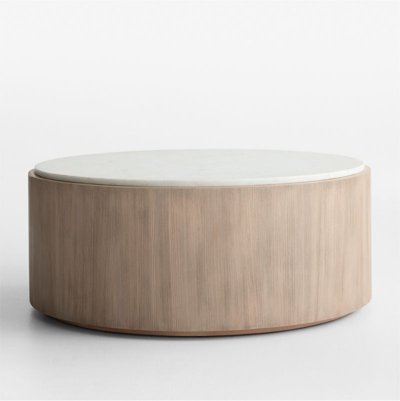

Turn your product feed into listings, carousels and comparison placements
Who it’s for: Retailers, DTC brands and marketplaces with a product catalog and a clear sales or ROAS goal.
Your whole catalog
Promote thousands of products without building ads one by one.
Price and image up front
Shoppers see what they'll get before they click.
Always current
Feed updates keep price and availability accurate.
Shopping & Product Feeds placement examples
See how Shopping & Product Feeds shows up in front of people. Final inventory is confirmed for each campaign.
Shopping carousels
Product cards with image, price and rating on relevant searches.
- Labeled as sponsored for the consumer
- Runs on reviewed publisher inventory
- Reported in your campaign dashboard
Shopping-app listings
Sponsored products inside shopping and deal apps.
- Labeled as sponsored for the consumer
- Runs on reviewed publisher inventory
- Reported in your campaign dashboard
Comparison environments
Sponsored placement in product comparison results.
- Labeled as sponsored for the consumer
- Runs on reviewed publisher inventory
- Reported in your campaign dashboard
Formats, targeting and what we’ll need from you
Available formats
- Product listing ads
- Shopping carousels
- Comparison listings
- Sponsored products in apps
Targeting & intent
Product-level relevance from feed attributes (title, category, brand, price) matched to shopping queries and browsing context.
What we’ll need from you
- Product feed (Google Merchant format or CSV)
- Product categories to prioritize
- Conversion / revenue tracking
- Target ROAS or CPA
How Shopping & Product Feeds campaigns run
Brief
Share your goal, audience, budget and timing. We recommend where Shopping & Product Feeds fits in your plan.
Setup & creative
Supply the inputs above. Our team helps with setup, tracking and creative formatting.
Launch
Your campaign goes live once you approve placements, creative and budget.
Measure & optimize
We review performance against your goal and adjust targeting, bids and creative.
The consumer’s path
- Shopping query
- Product listing
- Product page
- Purchase
What you can measure with Shopping & Product Feeds
Reporting is built around the goal you set at launch. Metrics available depend on your tracking setup.
- Product impressions
- Clicks
- Revenue
- Return on ad spend
- Product-level performance
Examples for your category
Ask our team for examples relevant to your category and goal.
Getting started with Shopping & Product Feeds
- Sign up: create your advertiser account. New accounts are reviewed before campaigns go live.
- Managed service: work with a representative on planning, setup and optimization.
- Timing & minimums: confirmed by your representative
Questions advertisers ask about Shopping & Product Feeds
What feed format do you accept?
Can I promote only some products?
Channels that pair well with Shopping & Product Feeds
Ready to add Shopping & Product Feeds to your plan?
Sign up to advertise, or talk to our team first. Your channel selection carries through.