
Drive Sales Through Shoppable Content
Turn engaging content into shopping opportunities with shoppable placements across product reviews, gift guides, and how-to articles. Help readers discover relevant products and move seamlessly from content to your product pages.
Connect editorial product discovery to shoppable products and merchant pages
Who it’s for: Retailers and brands whose products people research before buying, such as home, beauty, tech, outdoor and gifts.
Trusted context
Appear inside content readers already use to decide what to buy.
Short path to purchase
One tap from article to product page.
Clear attribution
Track which content drove the visit and the sale.
Content-to-Commerce placement examples
See how Content-to-Commerce shows up in front of people. Final inventory is confirmed for each campaign.
In-article product cards
Shoppable product cards placed inside relevant editorial content.
- Labeled as sponsored for the consumer
- Runs on reviewed publisher inventory
- Reported in your campaign dashboard

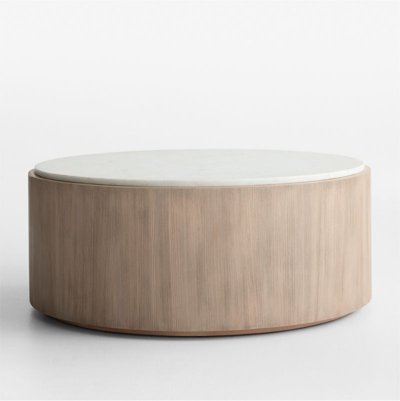

Shoppable product carousels
A row of products at the end of a guide or review.
- Labeled as sponsored for the consumer
- Runs on reviewed publisher inventory
- Reported in your campaign dashboard
How editorial discovery becomes a sale
A reader researching a purchase finds your product inside relevant content, taps through to your product page and buys. Reporting connects the article, the product card and the order.
- Reader opens a guide
- Sees a labeled product card
- Taps to merchant page
- Purchase attributed
In-article product cards
A single product with image, price and merchant, placed where the content discusses it.
Shoppable carousels
Several products at the end of a guide, review or gift list.
Merchant deep links
Links that land on the exact product page, carrying attribution parameters.
Formats, targeting and what we’ll need from you
Available formats
- In-article product cards
- Shoppable carousels
- Sponsored product mentions (labeled)
- Merchant deep links
Targeting & intent
Content category and product relevance, using page context and your product feed.
What we’ll need from you
- Product feed or priority products
- Merchant destination URLs
- Affiliate / conversion tracking
- Brand guidelines
How Content-to-Commerce campaigns run
Brief
Share your goal, audience, budget and timing. We recommend where Content-to-Commerce fits in your plan.
Setup & creative
Supply the inputs above. Our team helps with setup, tracking and creative formatting.
Launch
Your campaign goes live once you approve placements, creative and budget.
Measure & optimize
We review performance against your goal and adjust targeting, bids and creative.
The consumer’s path
- Article
- Product card
- Merchant product page
- Purchase
What you can measure with Content-to-Commerce
Reporting is built around the goal you set at launch. Metrics available depend on your tracking setup.
- Product card views
- Clicks
- Orders
- Revenue
- Cost per sale
Examples for your category
Ask our team for examples relevant to your category and goal.
Getting started with Content-to-Commerce
- Sign up: create your advertiser account. New accounts are reviewed before campaigns go live.
- Managed service: work with a representative on planning, setup and optimization.
- Timing & minimums: confirmed by your representative
Questions advertisers ask about Content-to-Commerce
Is sponsored content labeled?
How is it priced?
Channels that pair well with Content-to-Commerce
Ready to add Content-to-Commerce to your plan?
Sign up to advertise, or talk to our team first. Your channel selection carries through.